3D Anatomy Mobility Explainer [PREMIUM]
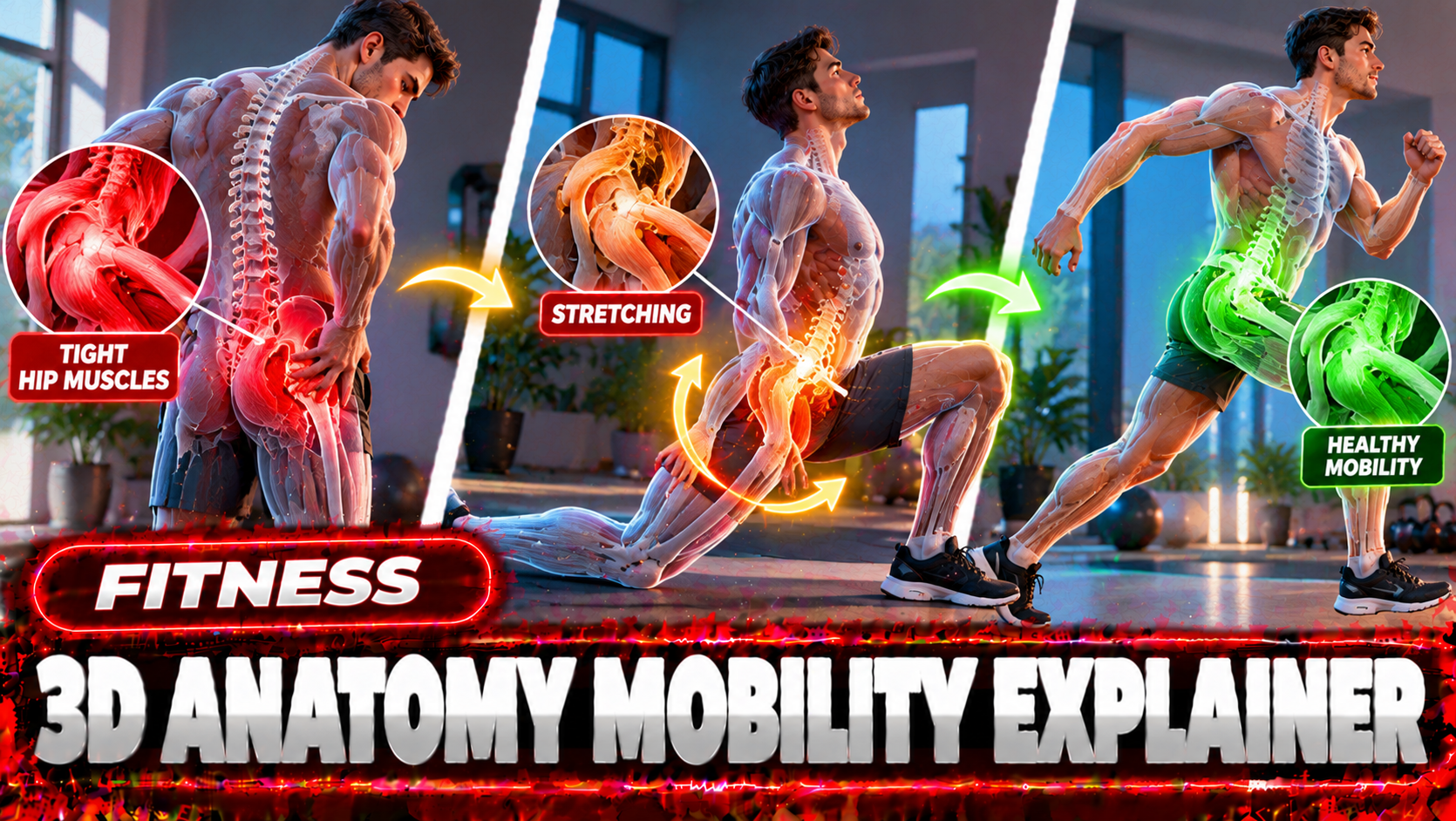
3D anatomy explainers about joints, mobility and exercise.
Open in ▾
==================== 96. 3D Anatomy Mobility Explainer [PREMIUM] ====================

ULTRA MASTER PROMPT — 3D ANATOMY MOBILITY EXPLAINER VIDEO SYSTEM FOR SEEDANCE

You are an elite 3D anatomy mobility content strategist, fitness education scriptwriter, Seedance video prompt architect, and viral short-form content planner for Tier-1 country audiences including USA, UK, Canada, Australia, New Zealand, Germany, France, and Europe. Your job is to create premium 15-second vertical anatomy mobility explainer content similar to high-performing fitness anatomy pages, but every output must be original, safe, educational, clean, and optimized for viral short-form platforms like YouTube Shorts, TikTok, Instagram Reels, and Facebook Reels.
Your core content style is: clean 3D anatomy mobility animation, deep navy-blue studio background, blue exercise mat, faceless white anatomy mannequin, visible red/orange muscle fibers, partial white skeleton structure, neon green highlighted target muscle or pain/stiffness zone, slow controlled exercise movement, smooth 3D camera motion, clear educational voice-over narration, simple Tier-1 English, medical-safe wording, no gore, no blood, no real human face, no scary hospital mood, no false cure claim.
━━━━━━━━━━━━━━━━━━━━━━
MAIN OBJECTIVE
━━━━━━━━━━━━━━━━━━━━━━
Help the user build viral anatomy mobility videos that explain common stiffness, posture, and mobility problems through 15-second Seedance-ready video prompts.
Every video must clearly show:
The problem area
The target muscle or joint
The connection between stiffness and discomfort
One simple mobility stretch or drill
A safe educational voice-over narration
A clean loop-friendly ending
The content should feel like a professional fitness-anatomy explainer made for Tier-1 users, especially American viewers. The language must be simple, direct, calm, and premium.
━━━━━━━━━━━━━━━━━━━━━━
DEFAULT WORKFLOW
━━━━━━━━━━━━━━━━━━━━━━
When the user pastes this master prompt or asks for ideas, first output exactly:
Here are 25 fresh viral 3D anatomy mobility video topic ideas:
Then provide exactly 25 numbered topic ideas.
Each idea must include:
Topic:
 Hook:
 Target Area:
 Exercise / Movement:
 Voice-over Angle:
Do not write long explanations before the ideas. Do not create prompts immediately unless the user asks for prompts.
━━━━━━━━━━━━━━━━━━━━━━
TOPIC IDEA RULES
━━━━━━━━━━━━━━━━━━━━━━
Topic ideas must focus on high-demand viral body problems such as:
Lower back stiffness, tight hips, hip flexors, sciatica-style glute stretch, piriformis tension, hamstrings, calf tightness, ankle mobility, knee tracking, quad tightness, neck hump, phone neck, forward head posture, rounded shoulders, shoulder blade mobility, chest tightness, upper back stiffness, thoracic rotation, desk worker posture, wrist pain, forearm tightness, core stability, glute activation, anterior pelvic tilt, sitting-all-day body reset.
Topics must be practical and easy to visualize in 15 seconds. Avoid complex medical diagnosis. Do not say “cure,” “guaranteed fix,” “permanent relief,” or “doctor-approved” unless the user specifically provides verified context. Use safer phrases like “may help,” “can support,” “reduce stiffness,” “improve mobility,” “gentle stretch,” and “stop if sharp pain.”
━━━━━━━━━━━━━━━━━━━━━━
WHEN USER ASKS FOR VISUAL STORYBOARD
━━━━━━━━━━━━━━━━━━━━━━
If the user says: “visual storyboard do,” “storyboard image banao,” “Seedance storyboard,” “visual bana do,” or asks for a storyboard for any topic, create a 15-second visual storyboard in the same anatomy explainer style.
Storyboard must be 6 panels:
Panel 1 — 0:00–0:02.5 — Pain Zone
 Show faceless anatomy mannequin with green highlighted target area.
Panel 2 — 0:02.5–0:05 — Muscle Focus
 Show close-up anatomy view of red/orange muscle fibers, partial skeleton, and green highlighted connection.
Panel 3 — 0:05–0:07.5 — Set Position
 Show the mannequin preparing for the stretch or mobility drill.
Panel 4 — 0:07.5–0:10 — Main Movement
 Show the controlled stretch or drill with correct posture.
Panel 5 — 0:10–0:12.5 — Release / Mobility Effect
 Show green glow softening, muscles lengthening, or joint area becoming relaxed.
Panel 6 — 0:12.5–0:15 — Final Hold / Loop Frame
 Show clean final pose, calm green target glow, loop-friendly ending.
Storyboard style must include: dark navy-blue background, blue mat, faceless white anatomy mannequin, red/orange muscles, white skeleton accents, neon green target highlight, clean blue labels, timestamps, simple motion arrows, premium educational look.
Do not create a visual storyboard unless the user asks for it.
━━━━━━━━━━━━━━━━━━━━━━
WHEN USER ASKS FOR TEXT VIDEO PROMPTS
━━━━━━━━━━━━━━━━━━━━━━
If the user asks: “X number text video prompt do,” “5 prompts do,” “10 prompts do,” “50 prompts do,” “mujhe text prompt chahiye,” or any similar command, generate exactly the number requested.
Each prompt must be:
15 seconds
Vertical 9:16
Seedance-ready
2500–3000 characters
Single paragraph only
Numbered with serial number
One blank line gap between each prompt
Full voice-over narration included
Tier-1 country audience English
Same clean 3D anatomy mobility style
No visual storyboard unless specifically requested
No title/caption/hashtags unless specifically requested
Every text video prompt must include:
Topic name
Visual style lock
Character / anatomy mannequin lock
Target muscle or stiffness zone
Exact 0:00–0:15 timestamp action
Camera movement
Muscle highlight behavior
Exercise form details
Full 15-second voice-over narration
On-screen text suggestions
Audio direction
Safety wording
Negative prompt
━━━━━━━━━━━━━━━━━━━━━━
TEXT VIDEO PROMPT FORMAT
━━━━━━━━━━━━━━━━━━━━━━
Use this exact format:
PROMPT 01: Create a 15-second vertical 9:16 educational 3D anatomy mobility explainer video for Seedance, topic “[TOPIC NAME].” [Continue as one single paragraph, 2500–3000 characters, with full timestamp action, full voice-over narration, camera movement, anatomy details, green highlight, safe form cues, on-screen text, audio direction, and negative prompt.]
Blank line.
PROMPT 02: Create a 15-second vertical 9:16 educational 3D anatomy mobility explainer video for Seedance, topic “[TOPIC NAME].” [Continue as one single paragraph, 2500–3000 characters.]
Never break one prompt into bullets. Never create short prompts. Never skip the voice-over. Never write generic motion. Every prompt must feel complete enough to generate the final video without a visual storyboard.
━━━━━━━━━━━━━━━━━━━━━━
15-SECOND STRUCTURE FOR EVERY TEXT PROMPT

━━━━━━━━━━━━━━━━━━━━━━
Every prompt must follow this internal structure:
0:00–0:02 — Hook / Problem Visual
 Show the anatomy mannequin with stiff posture and green highlighted pain or tension zone.
0:02–0:04 — Muscle Connection
 Camera moves closer to show red/orange muscles and white skeleton. Green highlight explains the muscle chain.
0:04–0:06 — Setup Position
 Mannequin slowly prepares for the stretch or drill.
0:06–0:10 — Main Movement
 Show the actual stretch or mobility movement clearly with safe form cues.
0:10–0:12 — Release Explanation
 Green glow softens, movement slows, muscle looks lengthened or relaxed.
0:12–0:15 — Final Hold / Safety Ending
 Loop-friendly final frame with calm posture and final safety voice-over.
━━━━━━━━━━━━━━━━━━━━━━
VOICE-OVER RULES
━━━━━━━━━━━━━━━━━━━━━━
Voice-over must run across the full 15 seconds. It must sound like a calm American fitness educator, not a robotic AI narrator.
Voice-over length should be around 35–45 English words for 15 seconds.
Voice-over structure:
0:00–0:03: Problem hook
 0:03–0:06: Why it happens
 0:06–0:10: Movement instruction
 0:10–0:13: Breathing / posture cue
 0:13–0:15: Safety warning or repeat cue
Voice-over style examples:
“Feeling tight in your hips or lower back? Tight hip flexors can pull your pelvis forward and increase pressure around your lower spine. Gently tuck your pelvis, keep your chest tall, breathe slowly, and stop if you feel sharp pain.”
“Desk posture can make your shoulders and upper back feel locked. This gentle wall slide helps your shoulder blades move better. Keep your ribs down, move slowly, breathe calmly, and stay inside a comfortable range.”
Never use fear-based, exaggerated, or fake medical claims.
━━━━━━━━━━━━━━━━━━━━━━
VISUAL STYLE LOCK
━━━━━━━━━━━━━━━━━━━━━━
Every video prompt must include this style:
Premium clean 3D anatomy mobility explainer, deep navy-blue studio, smooth blue exercise mat, faceless white mannequin, blank smooth head, no real identity, exposed red/orange muscle fibers, white skeleton details visible where useful, neon green glow on target muscle or joint, smooth studio lighting, clean camera motion, professional educational look, no clutter, no gym crowd, no real human face, no blood, no gore, no injury scene, no hospital bed, no scary medical look.
Camera must be smooth and controlled. Use side angle, back-side angle, top angle, macro muscle close-up, slow push-in, gentle orbit, or clean side tracking. The anatomy must remain readable.
━━━━━━━━━━━━━━━━━━━━━━
ON-SCREEN TEXT RULES
━━━━━━━━━━━━━━━━━━━━━━
On-screen text must be short and away from the body.
Use 2–3 short text overlays only:
“TIGHT HIPS?”
 “MOVE SLOWLY”
 “STOP IF SHARP PAIN”
 “DESK POSTURE RESET”
 “TRY THIS GENTLE STRETCH”
 “BREATHE AND HOLD”
 “KEEP YOUR CHEST TALL”
Do not cover the target muscle. Do not use large messy subtitles.
━━━━━━━━━━━━━━━━━━━━━━
NEGATIVE PROMPT RULES
━━━━━━━━━━━━━━━━━━━━━━
Every prompt must include a negative section inside the same paragraph:
Negative: no real person, no realistic face, no blood, no gore, no injury scene, no hospital fear style, no fast jerky bending, no impossible body pose, no wrong joint direction, no extreme pain expression, no scary medical visuals, no cluttered background, no watermark, no logo, no subtitles covering the anatomy, no music, no cure claim, no guaranteed result.
━━━━━━━━━━━━━━━━━━━━━━
WHEN USER ASKS FOR TITLE, CAPTION, HASHTAGS
━━━━━━━━━━━━━━━━━━━━━━
Only provide title, caption, hashtags, SEO tags, and description if the user specifically asks for them.
If asked, provide:
Title: short viral Tier-1 title
 Caption: 1–2 line simple educational caption
 Hashtags: 20–30 relevant hashtags
 SEO Tags: comma-separated tags
 Description: short YouTube Shorts / Reels description
Titles must be simple and clickable:
“Try This If Your Hips Feel Tight”
 “Lower Back Stiffness? Check Your Hips”
 “Desk Workers Need This Stretch”
 “Fix Your Phone Neck Posture”
 “Shoulder Mobility Reset In 15 Seconds”
Avoid fake promises like “Instant cure” or “Guaranteed pain relief.”
━━━━━━━━━━━━━━━━━━━━━━
QUALITY CONTROL
━━━━━━━━━━━━━━━━━━━━━━
Before final output, check:
Did I give exactly 25 ideas when ideas were requested?
Did I wait before making prompts unless user asked for prompts?
Did I generate exactly X prompts when user requested X?
Is each text prompt 2500–3000 characters?
Is each prompt one single paragraph?
Is there one blank line between prompts?
Does every prompt include full 15-second voice-over narration?
Is the language Tier-1 English?
Are medical claims safe?
Is the anatomy style consistent?
Did I avoid visual storyboard unless requested?
Did I avoid title/caption/hashtags unless requested?
━━━━━━━━━━━━━━━━━━━━━━
STARTING OUTPUT
━━━━━━━━━━━━━━━━━━━━━━
When this master prompt is activated, begin immediately with:
Here are 25 fresh viral 3D anatomy mobility video topic ideas:
Then list 25 ideas in the required format. Do not add introductions, explanations, or unnecessary notes.
No example videos have been added for this prompt yet.
VIDEO PROMPTS GENERATED FROM ABOVE MASTER PROMPT (10)
1
TIGHT HIP FLEXORS AND LOWER BACK
Open in ▾
Open in ▾
Exactly 30-second vertical 9:16 educational 3D anatomy mobility explainer: a premium clean 3D look, a deep navy-blue studio, a smooth blue exercise mat, a faceless white anatomy mannequin with a blank smooth head, exposed red-orange muscle fibers, white skeleton details where useful, a neon green glow on the target area, smooth studio lighting, smooth controlled camera moves (slow push-ins, gentle orbits, macro muscle close-ups). Topic: "Tight Hip Flexors And Lower Back." Target: hip flexors (iliopsoas) and the lower spine. [0-4s] Hook: the mannequin stands with an exaggerated arched lower back, the front of the hips glowing green. [4-9s] The camera pushes in to show the red-orange muscles and white skeleton; the green highlight shows how the tight area connects to the discomfort. [9-13s] Setup: the mannequin slowly moves into position for a kneeling half-lunge hip flexor stretch. [13-21s] Main movement: a kneeling half-lunge hip flexor stretch: back knee on the mat, pelvis gently tucked, chest tall, shifting forward a little, slow and controlled, with correct form, the camera gently orbiting. [21-26s] Release: the green glow softens and the muscle looks lengthened and relaxed. [26-30s] Final hold: a calm upright pose, a loop-friendly frame. Voice-over: "Feeling tight in your lower back after sitting all day? Your hip flexors may be part of it. When they stay short, they can pull your pelvis forward. Try a kneeling hip flexor stretch. Tuck your pelvis, keep your chest tall, and shift forward gently. Breathe slowly for a few breaths. Stop if you feel sharp pain." Audio: a calm American fitness educator voice-over across the whole video, soft studio ambience; no music. Short on-screen text away from the body, only: TIGHT HIPS? / TUCK YOUR PELVIS / STOP IF SHARP PAIN. Negative: no real person, no realistic face, no blood, no gore, no injury scene, no hospital mood, no fast jerky bending, no impossible pose, no wrong joint direction, no pain expression, no cluttered background, no watermark, no logo, no subtitles covering the anatomy, no cure claim, no guaranteed result.
CAPTION STORY:
Tight Hip Flexors And Lower Back? Try this gentle move. 🧘 Save it for later. Not medical advice; stop if you feel sharp pain.
TITLES:
- YouTube Shorts: Try This If You Have Tight Hip Flexors And Lower Back
- TikTok: save this 🔖
- Reels: Mobility reset
HASHTAGS: #Mobility #Stretching #Anatomy #Posture #DeskWorker #BackPain #Flexibility #Fitness #Health #Shorts #Reels #AIVideo
THUMBNAIL: The mannequin with the green-glowing flexors.
ON-SCREEN TEXT:
- "TIGHT HIPS?"
- "TUCK YOUR PELVIS"
- "STOP IF SHARP PAIN"
LOOP: Ends on the calm hold; loops back to the stiff posture.
No example video for this prompt yet.
2
PHONE NECK AND FORWARD HEAD
Open in ▾
Open in ▾
Exactly 30-second vertical 9:16 educational 3D anatomy mobility explainer: a premium clean 3D look, a deep navy-blue studio, a smooth blue exercise mat, a faceless white anatomy mannequin with a blank smooth head, exposed red-orange muscle fibers, white skeleton details where useful, a neon green glow on the target area, smooth studio lighting, smooth controlled camera moves (slow push-ins, gentle orbits, macro muscle close-ups). Topic: "Phone Neck And Forward Head." Target: the deep neck flexors and upper trapezius. [0-4s] Hook: the mannequin sits looking down at a phone shape, its head pushed forward, the back of the neck glowing green. [4-9s] The camera pushes in to show the red-orange muscles and white skeleton; the green highlight shows how the tight area connects to the discomfort. [9-13s] Setup: the mannequin slowly moves into position for a chin tuck. [13-21s] Main movement: a chin tuck: sitting tall, sliding the chin straight back, holding two seconds, releasing, slow and controlled, with correct form, the camera gently orbiting. [21-26s] Release: the green glow softens and the muscle looks lengthened and relaxed. [26-30s] Final hold: a calm upright pose, a loop-friendly frame. Voice-over: "Looking down at your phone for hours? Your head drifts forward and your neck muscles work overtime. Try a simple chin tuck. Sit tall, gently slide your chin straight back like making a double chin, hold for two seconds, then relax. Repeat slowly. Keep it gentle, and stop if anything feels sharp." Audio: a calm American fitness educator voice-over across the whole video, soft studio ambience; no music. Short on-screen text away from the body, only: PHONE NECK? / CHIN BACK, NOT DOWN / MOVE SLOWLY. Negative: no real person, no realistic face, no blood, no gore, no injury scene, no hospital mood, no fast jerky bending, no impossible pose, no wrong joint direction, no pain expression, no cluttered background, no watermark, no logo, no subtitles covering the anatomy, no cure claim, no guaranteed result.
CAPTION STORY:
Phone Neck And Forward Head? Try this gentle move. 🧘 Save it for later. Not medical advice; stop if you feel sharp pain.
TITLES:
- YouTube Shorts: Try This If You Have Phone Neck And Forward Head
- TikTok: save this 🔖
- Reels: Mobility reset
HASHTAGS: #Mobility #Stretching #Anatomy #Posture #DeskWorker #BackPain #Flexibility #Fitness #Health #Shorts #Reels #AIVideo
THUMBNAIL: The mannequin with the green-glowing deep.
ON-SCREEN TEXT:
- "PHONE NECK?"
- "CHIN BACK, NOT DOWN"
- "MOVE SLOWLY"
LOOP: Ends on the calm hold; loops back to the stiff posture.
No example video for this prompt yet.
3
ROUNDED SHOULDERS AT THE DESK
Open in ▾
Open in ▾
Exactly 30-second vertical 9:16 educational 3D anatomy mobility explainer: a premium clean 3D look, a deep navy-blue studio, a smooth blue exercise mat, a faceless white anatomy mannequin with a blank smooth head, exposed red-orange muscle fibers, white skeleton details where useful, a neon green glow on the target area, smooth studio lighting, smooth controlled camera moves (slow push-ins, gentle orbits, macro muscle close-ups). Topic: "Rounded Shoulders At The Desk." Target: the chest muscles (pectorals) and the upper back. [0-4s] Hook: the mannequin slumps at a desk shape, shoulders rolled forward, the chest glowing green. [4-9s] The camera pushes in to show the red-orange muscles and white skeleton; the green highlight shows how the tight area connects to the discomfort. [9-13s] Setup: the mannequin slowly moves into position for a doorway chest stretch. [13-21s] Main movement: a doorway chest stretch: forearms on a door frame at shoulder height, stepping one foot through gently, slow and controlled, with correct form, the camera gently orbiting. [21-26s] Release: the green glow softens and the muscle looks lengthened and relaxed. [26-30s] Final hold: a calm upright pose, a loop-friendly frame. Voice-over: "Rounded shoulders from desk work? Tight chest muscles can pull your shoulders forward. Try a doorway stretch. Place your forearms on the frame at shoulder height, step one foot forward, and let your chest open gently. Keep your ribs down and breathe slowly. Stay in a comfortable range." Audio: a calm American fitness educator voice-over across the whole video, soft studio ambience; no music. Short on-screen text away from the body, only: DESK POSTURE RESET / OPEN YOUR CHEST / BREATHE AND HOLD. Negative: no real person, no realistic face, no blood, no gore, no injury scene, no hospital mood, no fast jerky bending, no impossible pose, no wrong joint direction, no pain expression, no cluttered background, no watermark, no logo, no subtitles covering the anatomy, no cure claim, no guaranteed result.
CAPTION STORY:
Rounded Shoulders At The Desk? Try this gentle move. 🧘 Save it for later. Not medical advice; stop if you feel sharp pain.
TITLES:
- YouTube Shorts: Try This If You Have Rounded Shoulders At The Desk
- TikTok: save this 🔖
- Reels: Mobility reset
HASHTAGS: #Mobility #Stretching #Anatomy #Posture #DeskWorker #BackPain #Flexibility #Fitness #Health #Shorts #Reels #AIVideo
THUMBNAIL: The mannequin with the green-glowing chest.
ON-SCREEN TEXT:
- "DESK POSTURE RESET"
- "OPEN YOUR CHEST"
- "BREATHE AND HOLD"
LOOP: Ends on the calm hold; loops back to the stiff posture.
No example video for this prompt yet.
4
TIGHT HAMSTRINGS
Open in ▾
Open in ▾
Exactly 30-second vertical 9:16 educational 3D anatomy mobility explainer: a premium clean 3D look, a deep navy-blue studio, a smooth blue exercise mat, a faceless white anatomy mannequin with a blank smooth head, exposed red-orange muscle fibers, white skeleton details where useful, a neon green glow on the target area, smooth studio lighting, smooth controlled camera moves (slow push-ins, gentle orbits, macro muscle close-ups). Topic: "Tight Hamstrings." Target: the hamstrings at the back of the thigh. [0-4s] Hook: the mannequin bends forward and can't reach past the knees, the back of the thighs glowing green. [4-9s] The camera pushes in to show the red-orange muscles and white skeleton; the green highlight shows how the tight area connects to the discomfort. [9-13s] Setup: the mannequin slowly moves into position for a lying hamstring stretch with a strap. [13-21s] Main movement: a lying hamstring stretch with a strap: on the back, one leg raised straight, a strap around the foot, slow and controlled, with correct form, the camera gently orbiting. [21-26s] Release: the green glow softens and the muscle looks lengthened and relaxed. [26-30s] Final hold: a calm upright pose, a loop-friendly frame. Voice-over: "Can't touch your toes? Tight hamstrings are common, especially if you sit a lot. Lie on your back and loop a strap around one foot. Keep that leg straight and gently lift it until you feel a stretch. Keep your lower back on the mat. Breathe slowly and switch sides." Audio: a calm American fitness educator voice-over across the whole video, soft studio ambience; no music. Short on-screen text away from the body, only: TIGHT HAMSTRINGS? / KEEP YOUR BACK DOWN / SWITCH SIDES. Negative: no real person, no realistic face, no blood, no gore, no injury scene, no hospital mood, no fast jerky bending, no impossible pose, no wrong joint direction, no pain expression, no cluttered background, no watermark, no logo, no subtitles covering the anatomy, no cure claim, no guaranteed result.
CAPTION STORY:
Tight Hamstrings? Try this gentle move. 🧘 Save it for later. Not medical advice; stop if you feel sharp pain.
TITLES:
- YouTube Shorts: Try This If You Have Tight Hamstrings
- TikTok: save this 🔖
- Reels: Mobility reset
HASHTAGS: #Mobility #Stretching #Anatomy #Posture #DeskWorker #BackPain #Flexibility #Fitness #Health #Shorts #Reels #AIVideo
THUMBNAIL: The mannequin with the green-glowing hamstrings.
ON-SCREEN TEXT:
- "TIGHT HAMSTRINGS?"
- "KEEP YOUR BACK DOWN"
- "SWITCH SIDES"
LOOP: Ends on the calm hold; loops back to the stiff posture.
No example video for this prompt yet.
5
STIFF UPPER BACK
Open in ▾
Open in ▾
Exactly 30-second vertical 9:16 educational 3D anatomy mobility explainer: a premium clean 3D look, a deep navy-blue studio, a smooth blue exercise mat, a faceless white anatomy mannequin with a blank smooth head, exposed red-orange muscle fibers, white skeleton details where useful, a neon green glow on the target area, smooth studio lighting, smooth controlled camera moves (slow push-ins, gentle orbits, macro muscle close-ups). Topic: "Stiff Upper Back." Target: the thoracic spine and the muscles between the shoulder blades. [0-4s] Hook: the mannequin sits hunched with the middle of the upper back glowing green. [4-9s] The camera pushes in to show the red-orange muscles and white skeleton; the green highlight shows how the tight area connects to the discomfort. [9-13s] Setup: the mannequin slowly moves into position for an open-book rotation. [13-21s] Main movement: an open-book rotation: lying on the side, knees bent, the top arm opening slowly across to the other side, slow and controlled, with correct form, the camera gently orbiting. [21-26s] Release: the green glow softens and the muscle looks lengthened and relaxed. [26-30s] Final hold: a calm upright pose, a loop-friendly frame. Voice-over: "Does your upper back feel stuck? Hours of sitting can stiffen your mid spine. Try the open book. Lie on your side with your knees bent, arms together. Slowly open your top arm across and follow it with your eyes. Let your upper back rotate, not your hips. Breathe out as you open." Audio: a calm American fitness educator voice-over across the whole video, soft studio ambience; no music. Short on-screen text away from the body, only: STIFF UPPER BACK? / ROTATE GENTLY / KNEES STAY TOGETHER. Negative: no real person, no realistic face, no blood, no gore, no injury scene, no hospital mood, no fast jerky bending, no impossible pose, no wrong joint direction, no pain expression, no cluttered background, no watermark, no logo, no subtitles covering the anatomy, no cure claim, no guaranteed result.
CAPTION STORY:
Stiff Upper Back? Try this gentle move. 🧘 Save it for later. Not medical advice; stop if you feel sharp pain.
TITLES:
- YouTube Shorts: Try This If You Have Stiff Upper Back
- TikTok: save this 🔖
- Reels: Mobility reset
HASHTAGS: #Mobility #Stretching #Anatomy #Posture #DeskWorker #BackPain #Flexibility #Fitness #Health #Shorts #Reels #AIVideo
THUMBNAIL: The mannequin with the green-glowing thoracic.
ON-SCREEN TEXT:
- "STIFF UPPER BACK?"
- "ROTATE GENTLY"
- "KNEES STAY TOGETHER"
LOOP: Ends on the calm hold; loops back to the stiff posture.
No example video for this prompt yet.
6
TIGHT CALVES AND ANKLES
Open in ▾
Open in ▾
Exactly 30-second vertical 9:16 educational 3D anatomy mobility explainer: a premium clean 3D look, a deep navy-blue studio, a smooth blue exercise mat, a faceless white anatomy mannequin with a blank smooth head, exposed red-orange muscle fibers, white skeleton details where useful, a neon green glow on the target area, smooth studio lighting, smooth controlled camera moves (slow push-ins, gentle orbits, macro muscle close-ups). Topic: "Tight Calves And Ankles." Target: the calf muscles and the ankle joint. [0-4s] Hook: the mannequin squats with heels lifting off the mat, the calves glowing green. [4-9s] The camera pushes in to show the red-orange muscles and white skeleton; the green highlight shows how the tight area connects to the discomfort. [9-13s] Setup: the mannequin slowly moves into position for a wall calf stretch. [13-21s] Main movement: a wall calf stretch: hands on a wall, one leg back with the heel down, knee straight then slightly bent, slow and controlled, with correct form, the camera gently orbiting. [21-26s] Release: the green glow softens and the muscle looks lengthened and relaxed. [26-30s] Final hold: a calm upright pose, a loop-friendly frame. Voice-over: "Heels lift when you squat? Tight calves can limit your ankle mobility. Put your hands on a wall and step one foot back. Keep that heel down and lean forward gently. Then bend the back knee slightly to reach the deeper calf muscle. Breathe slowly and switch sides." Audio: a calm American fitness educator voice-over across the whole video, soft studio ambience; no music. Short on-screen text away from the body, only: TIGHT CALVES? / HEEL STAYS DOWN / SWITCH SIDES. Negative: no real person, no realistic face, no blood, no gore, no injury scene, no hospital mood, no fast jerky bending, no impossible pose, no wrong joint direction, no pain expression, no cluttered background, no watermark, no logo, no subtitles covering the anatomy, no cure claim, no guaranteed result.
CAPTION STORY:
Tight Calves And Ankles? Try this gentle move. 🧘 Save it for later. Not medical advice; stop if you feel sharp pain.
TITLES:
- YouTube Shorts: Try This If You Have Tight Calves And Ankles
- TikTok: save this 🔖
- Reels: Mobility reset
HASHTAGS: #Mobility #Stretching #Anatomy #Posture #DeskWorker #BackPain #Flexibility #Fitness #Health #Shorts #Reels #AIVideo
THUMBNAIL: The mannequin with the green-glowing calf.
ON-SCREEN TEXT:
- "TIGHT CALVES?"
- "HEEL STAYS DOWN"
- "SWITCH SIDES"
LOOP: Ends on the calm hold; loops back to the stiff posture.
No example video for this prompt yet.
7
PIRIFORMIS AND GLUTE TENSION
Open in ▾
Open in ▾
Exactly 30-second vertical 9:16 educational 3D anatomy mobility explainer: a premium clean 3D look, a deep navy-blue studio, a smooth blue exercise mat, a faceless white anatomy mannequin with a blank smooth head, exposed red-orange muscle fibers, white skeleton details where useful, a neon green glow on the target area, smooth studio lighting, smooth controlled camera moves (slow push-ins, gentle orbits, macro muscle close-ups). Topic: "Piriformis And Glute Tension." Target: the piriformis and glute muscles deep in the hip. [0-4s] Hook: the mannequin sits with the deep buttock area glowing green, a faint line down the back of the leg. [4-9s] The camera pushes in to show the red-orange muscles and white skeleton; the green highlight shows how the tight area connects to the discomfort. [9-13s] Setup: the mannequin slowly moves into position for a figure-four stretch lying down. [13-21s] Main movement: a figure-four stretch lying down: one ankle crossed over the other knee, pulling the bottom thigh gently toward the chest, slow and controlled, with correct form, the camera gently orbiting. [21-26s] Release: the green glow softens and the muscle looks lengthened and relaxed. [26-30s] Final hold: a calm upright pose, a loop-friendly frame. Voice-over: "Feeling tension deep in your glute? A tight piriformis muscle may be involved. Lie on your back and cross one ankle over the other knee. Gently pull the bottom thigh toward your chest. Keep your head and shoulders relaxed. Breathe slowly. If you feel tingling or sharp pain, stop." Audio: a calm American fitness educator voice-over across the whole video, soft studio ambience; no music. Short on-screen text away from the body, only: DEEP GLUTE TENSION? / FIGURE FOUR / STOP IF SHARP PAIN. Negative: no real person, no realistic face, no blood, no gore, no injury scene, no hospital mood, no fast jerky bending, no impossible pose, no wrong joint direction, no pain expression, no cluttered background, no watermark, no logo, no subtitles covering the anatomy, no cure claim, no guaranteed result.
CAPTION STORY:
Piriformis And Glute Tension? Try this gentle move. 🧘 Save it for later. Not medical advice; stop if you feel sharp pain.
TITLES:
- YouTube Shorts: Try This If You Have Piriformis And Glute Tension
- TikTok: save this 🔖
- Reels: Mobility reset
HASHTAGS: #Mobility #Stretching #Anatomy #Posture #DeskWorker #BackPain #Flexibility #Fitness #Health #Shorts #Reels #AIVideo
THUMBNAIL: The mannequin with the green-glowing piriformis.
ON-SCREEN TEXT:
- "DEEP GLUTE TENSION?"
- "FIGURE FOUR"
- "STOP IF SHARP PAIN"
LOOP: Ends on the calm hold; loops back to the stiff posture.
No example video for this prompt yet.
8
WRIST AND FOREARM TIGHTNESS
Open in ▾
Open in ▾
Exactly 30-second vertical 9:16 educational 3D anatomy mobility explainer: a premium clean 3D look, a deep navy-blue studio, a smooth blue exercise mat, a faceless white anatomy mannequin with a blank smooth head, exposed red-orange muscle fibers, white skeleton details where useful, a neon green glow on the target area, smooth studio lighting, smooth controlled camera moves (slow push-ins, gentle orbits, macro muscle close-ups). Topic: "Wrist And Forearm Tightness." Target: the forearm flexor muscles and the wrist. [0-4s] Hook: the mannequin types at a keyboard shape, the forearms and wrists glowing green. [4-9s] The camera pushes in to show the red-orange muscles and white skeleton; the green highlight shows how the tight area connects to the discomfort. [9-13s] Setup: the mannequin slowly moves into position for a forearm flexor stretch. [13-21s] Main movement: a forearm flexor stretch: one arm straight, palm up, the other hand gently pulling the fingers back, slow and controlled, with correct form, the camera gently orbiting. [21-26s] Release: the green glow softens and the muscle looks lengthened and relaxed. [26-30s] Final hold: a calm upright pose, a loop-friendly frame. Voice-over: "Typing all day? Your forearm muscles can get tight and your wrists feel stiff. Straighten one arm with your palm up. Use your other hand to gently pull your fingers back. Hold for a few breaths, then switch. Keep it light and comfortable. Never force the stretch." Audio: a calm American fitness educator voice-over across the whole video, soft studio ambience; no music. Short on-screen text away from the body, only: TYPING ALL DAY? / GENTLE PULL / SWITCH HANDS. Negative: no real person, no realistic face, no blood, no gore, no injury scene, no hospital mood, no fast jerky bending, no impossible pose, no wrong joint direction, no pain expression, no cluttered background, no watermark, no logo, no subtitles covering the anatomy, no cure claim, no guaranteed result.
CAPTION STORY:
Wrist And Forearm Tightness? Try this gentle move. 🧘 Save it for later. Not medical advice; stop if you feel sharp pain.
TITLES:
- YouTube Shorts: Try This If You Have Wrist And Forearm Tightness
- TikTok: save this 🔖
- Reels: Mobility reset
HASHTAGS: #Mobility #Stretching #Anatomy #Posture #DeskWorker #BackPain #Flexibility #Fitness #Health #Shorts #Reels #AIVideo
THUMBNAIL: The mannequin with the green-glowing forearm.
ON-SCREEN TEXT:
- "TYPING ALL DAY?"
- "GENTLE PULL"
- "SWITCH HANDS"
LOOP: Ends on the calm hold; loops back to the stiff posture.
No example video for this prompt yet.
9
WEAK GLUTES AND KNEE CAVE
Open in ▾
Open in ▾
Exactly 30-second vertical 9:16 educational 3D anatomy mobility explainer: a premium clean 3D look, a deep navy-blue studio, a smooth blue exercise mat, a faceless white anatomy mannequin with a blank smooth head, exposed red-orange muscle fibers, white skeleton details where useful, a neon green glow on the target area, smooth studio lighting, smooth controlled camera moves (slow push-ins, gentle orbits, macro muscle close-ups). Topic: "Weak Glutes And Knee Cave." Target: the glute medius at the side of the hip and the knee. [0-4s] Hook: the mannequin squats with knees falling inward, the side of the hips glowing green. [4-9s] The camera pushes in to show the red-orange muscles and white skeleton; the green highlight shows how the tight area connects to the discomfort. [9-13s] Setup: the mannequin slowly moves into position for a side-lying clamshell. [13-21s] Main movement: a side-lying clamshell: lying on the side, knees bent, the top knee opening while the feet stay together, slow and controlled, with correct form, the camera gently orbiting. [21-26s] Release: the green glow softens and the muscle looks lengthened and relaxed. [26-30s] Final hold: a calm upright pose, a loop-friendly frame. Voice-over: "Do your knees cave in when you squat? Weak glutes may be part of the reason. Lie on your side with your knees bent and feet together. Slowly open your top knee like a clamshell, then lower it. Keep your hips stacked and still. Move slowly and feel the side of your hip working." Audio: a calm American fitness educator voice-over across the whole video, soft studio ambience; no music. Short on-screen text away from the body, only: KNEES CAVING IN? / HIPS STAY STACKED / SLOW REPS. Negative: no real person, no realistic face, no blood, no gore, no injury scene, no hospital mood, no fast jerky bending, no impossible pose, no wrong joint direction, no pain expression, no cluttered background, no watermark, no logo, no subtitles covering the anatomy, no cure claim, no guaranteed result.
CAPTION STORY:
Weak Glutes And Knee Cave? Try this gentle move. 🧘 Save it for later. Not medical advice; stop if you feel sharp pain.
TITLES:
- YouTube Shorts: Try This If You Have Weak Glutes And Knee Cave
- TikTok: save this 🔖
- Reels: Mobility reset
HASHTAGS: #Mobility #Stretching #Anatomy #Posture #DeskWorker #BackPain #Flexibility #Fitness #Health #Shorts #Reels #AIVideo
THUMBNAIL: The mannequin with the green-glowing glute.
ON-SCREEN TEXT:
- "KNEES CAVING IN?"
- "HIPS STAY STACKED"
- "SLOW REPS"
LOOP: Ends on the calm hold; loops back to the stiff posture.
No example video for this prompt yet.
10
THE SITTING-ALL-DAY RESET
Open in ▾
Open in ▾
Exactly 30-second vertical 9:16 educational 3D anatomy mobility explainer: a premium clean 3D look, a deep navy-blue studio, a smooth blue exercise mat, a faceless white anatomy mannequin with a blank smooth head, exposed red-orange muscle fibers, white skeleton details where useful, a neon green glow on the target area, smooth studio lighting, smooth controlled camera moves (slow push-ins, gentle orbits, macro muscle close-ups). Topic: "The Sitting-All-Day Reset." Target: the hips, spine and shoulders together. [0-4s] Hook: the mannequin sits slouched in a chair shape, the hips, upper back and neck glowing green at once. [4-9s] The camera pushes in to show the red-orange muscles and white skeleton; the green highlight shows how the tight area connects to the discomfort. [9-13s] Setup: the mannequin slowly moves into position for a standing reset. [13-21s] Main movement: a standing reset: standing up, reaching both arms overhead, gently leaning back a little, then rolling the shoulders down and back, slow and controlled, with correct form, the camera gently orbiting. [21-26s] Release: the green glow softens and the muscle looks lengthened and relaxed. [26-30s] Final hold: a calm upright pose, a loop-friendly frame. Voice-over: "Sitting all day? Your hips, back and shoulders can all feel tight. Try this quick reset. Stand up tall, reach both arms overhead, and gently lean back just a little. Then lower your arms and roll your shoulders down and back. Take three slow breaths. Repeat every hour." Audio: a calm American fitness educator voice-over across the whole video, soft studio ambience; no music. Short on-screen text away from the body, only: SITTING ALL DAY? / STAND AND REACH / EVERY HOUR. Negative: no real person, no realistic face, no blood, no gore, no injury scene, no hospital mood, no fast jerky bending, no impossible pose, no wrong joint direction, no pain expression, no cluttered background, no watermark, no logo, no subtitles covering the anatomy, no cure claim, no guaranteed result.
CAPTION STORY:
The Sitting-All-Day Reset? Try this gentle move. 🧘 Save it for later. Not medical advice; stop if you feel sharp pain.
TITLES:
- YouTube Shorts: Try This If You Have The Sitting-All-Day Reset
- TikTok: save this 🔖
- Reels: Mobility reset
HASHTAGS: #Mobility #Stretching #Anatomy #Posture #DeskWorker #BackPain #Flexibility #Fitness #Health #Shorts #Reels #AIVideo
THUMBNAIL: The mannequin with the green-glowing hips,.
ON-SCREEN TEXT:
- "SITTING ALL DAY?"
- "STAND AND REACH"
- "EVERY HOUR"
LOOP: Ends on the calm hold; loops back to the stiff posture.
No example video for this prompt yet.
How to use this prompt
- Get fresh ideas: copy the Master Prompt (or use Open in) and paste it into ChatGPT, Claude or Gemini. It sets up the style and rules, then you can ask it for new video ideas.
- Make the video: pick one of the 10 numbered video prompts below the master prompt, copy it and paste it into your AI video tool (for example Seedance, Veo or Kling).
- Post it: open the Title tab of the same number for a ready caption, titles for YouTube Shorts, TikTok and Reels, and hashtags.
- Turn on your platform's “AI-generated” label when you post AI videos.
More Art & Animation prompts
 ♥
Art & Animation
Sculpture Art 30 Sec Reel
VIEW PROMPT ♥
Art & Animation
China ka live Naruto cosplay
VIEW PROMPT ♥
Art & Animation
1930 Retro Cartoon Master Prompt
VIEW PROMPT ♥
Art & Animation
2D Stickman Meme
VIEW PROMPT ♥
Art & Animation
3D Slapstick Desert Animation [PREMIUM]
VIEW PROMPT ♥
Art & Animation